
Creating a More Organized and Productive Home Office
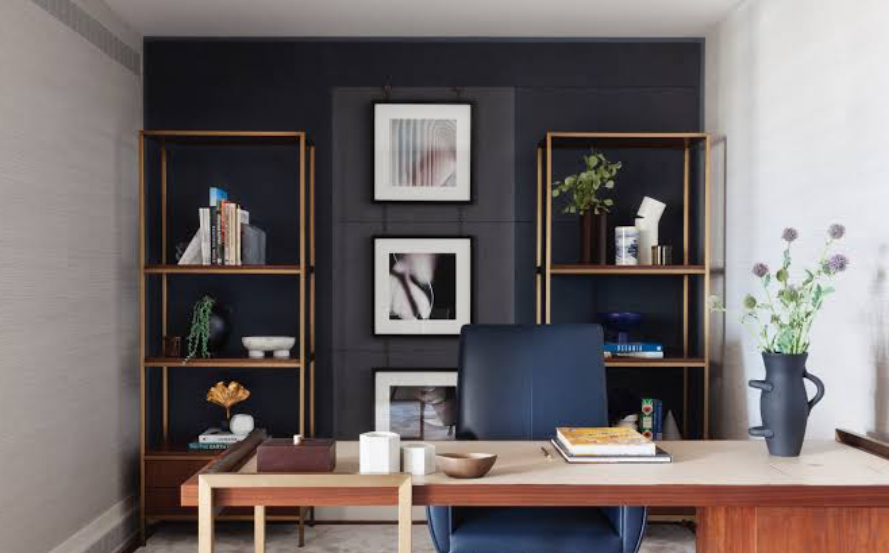
Working from home can offer flexibility, but a poorly designed workspace can quickly become uncomfortable and distracting. A home office does not need to occupy an entire room. With careful planning, even a small corner can become a practical place for focused work.
The key is to design the area around comfort, organization, lighting, and the type of work being performed.
Choose the Right Location
The best location depends on household activity. A quiet spare room may be ideal, but a corner of a bedroom, living room, or dining area can also work.
Whenever possible, select a location where interruptions are limited. The workspace should also have enough room for the equipment and materials needed during the workday.
Prioritize Desk and Chair Comfort
A desk should provide enough space for the computer, documents, and other frequently used items without becoming overcrowded.
The chair should provide appropriate support and allow the user to maintain a comfortable working position. Screen height, keyboard placement, and sitting posture can also affect comfort during long work sessions.
See also: penjiv com
Improve Natural Light
Natural light can make a workspace feel more pleasant. Positioning a desk near a window may provide useful daylight, but avoid placing a monitor directly where glare makes the screen difficult to read.
Adjusting blinds or curtains can help balance natural light and screen visibility.
Keep Frequently Used Items Nearby
An organized office does not necessarily mean putting everything into storage. Items used throughout the day should be easy to reach.
Desk organizers, shelves, drawers, cable-management systems, and small containers can prevent everyday objects from spreading across the workspace.
Control Cable Clutter
Computers, monitors, chargers, lamps, and other devices can create a confusing collection of cables.
Cable clips, sleeves, trays, or under-desk organizers can keep wires grouped together. Labeling cables can also make future maintenance easier.
Create a Separate Work Zone
When a home office shares space with another activity, visual separation can help establish a work-focused environment.
A small bookshelf, room divider, different wall color, or simply a dedicated desk can create a clearer distinction between professional and personal activities.
Manage Background Noise
Noise can make concentration difficult. Depending on the home, solutions might include closing doors, using soft furnishings to reduce echoes, adding rugs, or positioning the workspace away from busy areas.
Headphones can also help some people focus, although they should not replace necessary communication within the household.
Make Storage Flexible
Work needs can change over time. Instead of filling every available wall with permanent cabinets, consider flexible shelving and movable storage where practical.
Digital documents can also reduce the need for large amounts of physical filing space, although important paperwork should still be stored securely when necessary.
Add Personal Elements
A workspace should feel comfortable rather than sterile. Plants, artwork, photographs, or other personal objects can make the environment more enjoyable.
The key is moderation. Too many decorative items can reduce available workspace and create visual distractions.
Build a Workspace That Supports Your Routine
A home office is successful when it helps the user work comfortably and remain organized. The best setup will vary depending on the person’s occupation, available space, equipment, and household.
By combining an appropriate desk and chair, good lighting, practical storage, cable organization, and a dedicated work zone, homeowners can create a workspace that feels purposeful without undertaking a major renovation.
One Comment